
Public name and current technical bundle
MD Skin Studio is the approved public name for the website. Build 18 is still technically installed as /Applications/MD Record Skin Studio.app with bundle identifier com.avd.MDRecordSkinStudio. Support instructions retain those technical names until a separate verified rename build exists.
Requirements
- macOS 13.5 or later; build 18 is confirmed on Apple Silicon only.
- MD Record Studio is required to use installed skins, but no physical NetMD device is required to edit them.
- Developer ID signing, notarization, Intel and Universal runtime are not confirmed for build 18.
Create, edit and install a skin
Choose a base
Select a library profile or press New to start from the MD S-980 AD master map.
Select an element
Click a visible preview element and adjust its frame, text, appearance, image or shadow.
Review modules
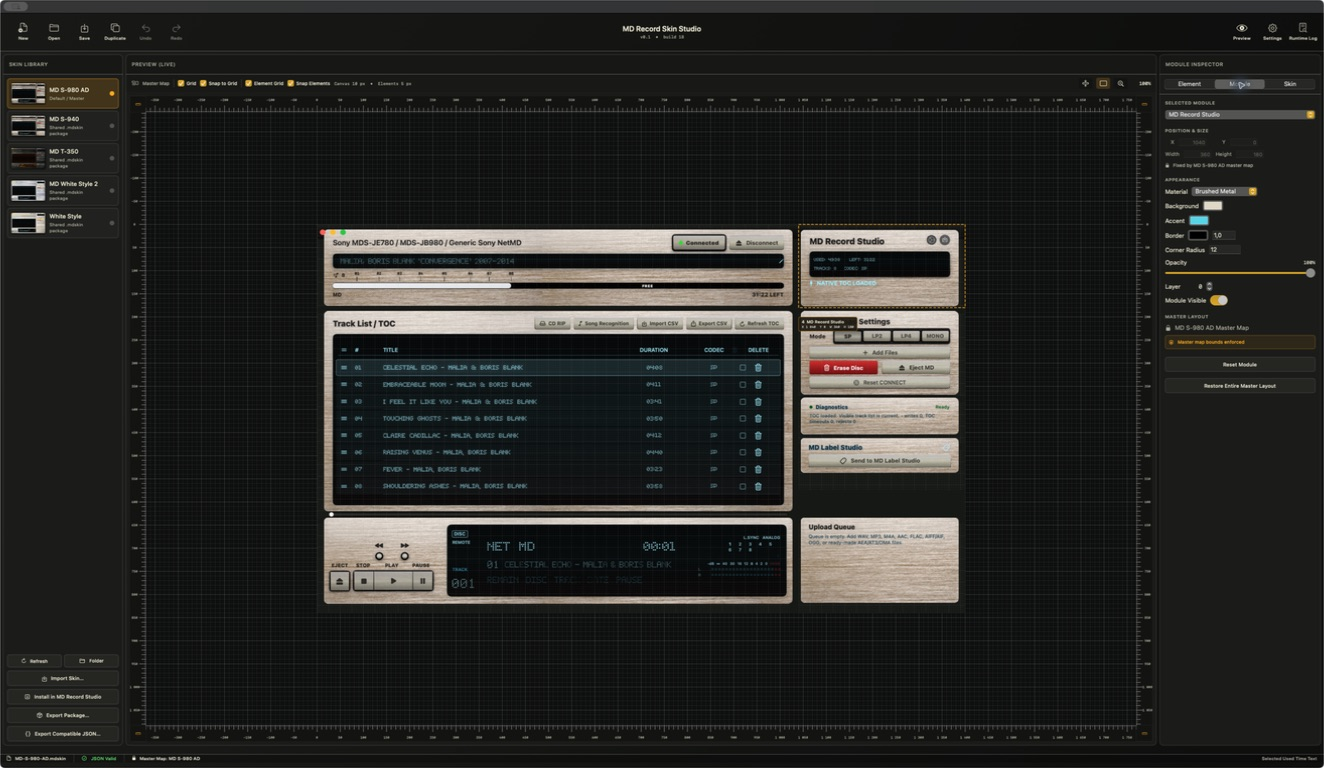
Use Module Inspector for appearance. Master-map module bounds remain read-only.
Save and install
Save a .mdskin package, export compatible JSON if needed, then install it into the shared library.
Four areas, one fixed canvas
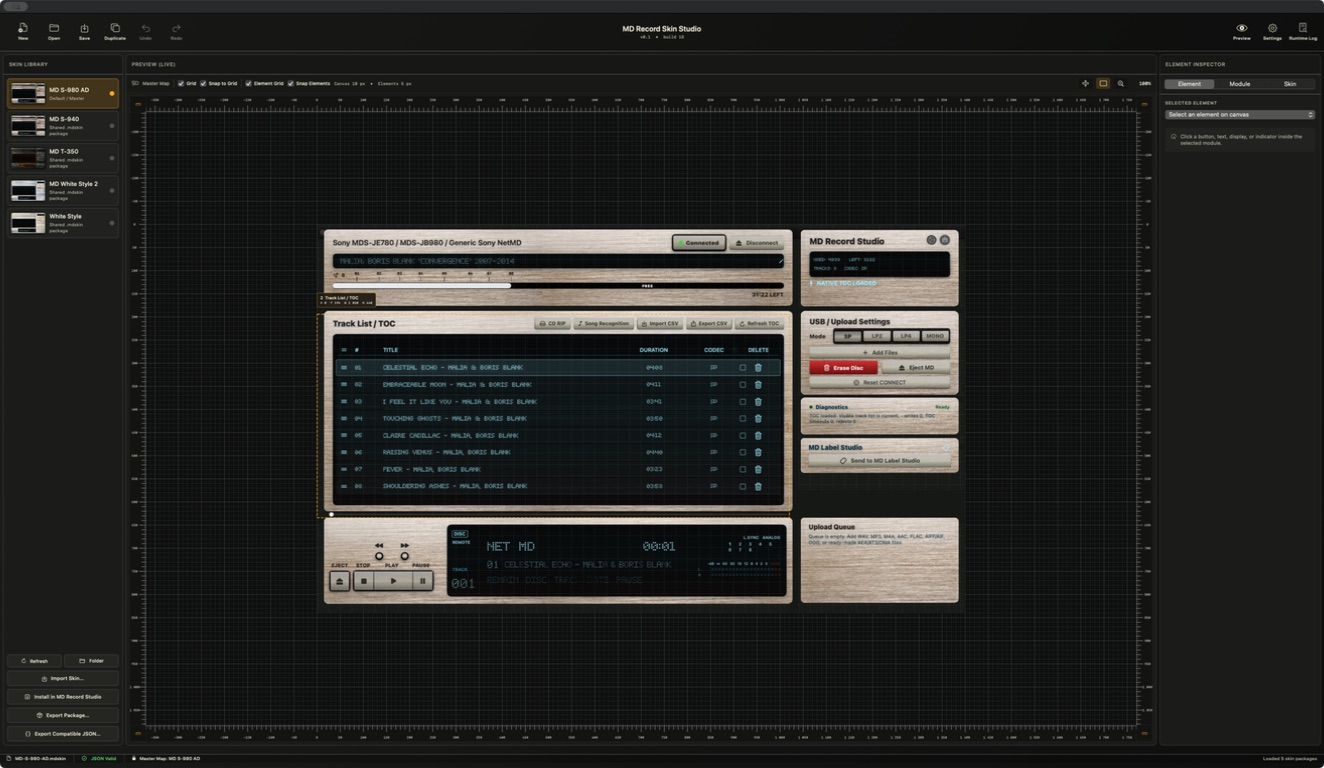
- Toolbar: New, Open, Save, Duplicate, Undo/Redo, zoom, Settings and Runtime Log.
- Skin Library: profile selection, refresh, folder, import, install and export.
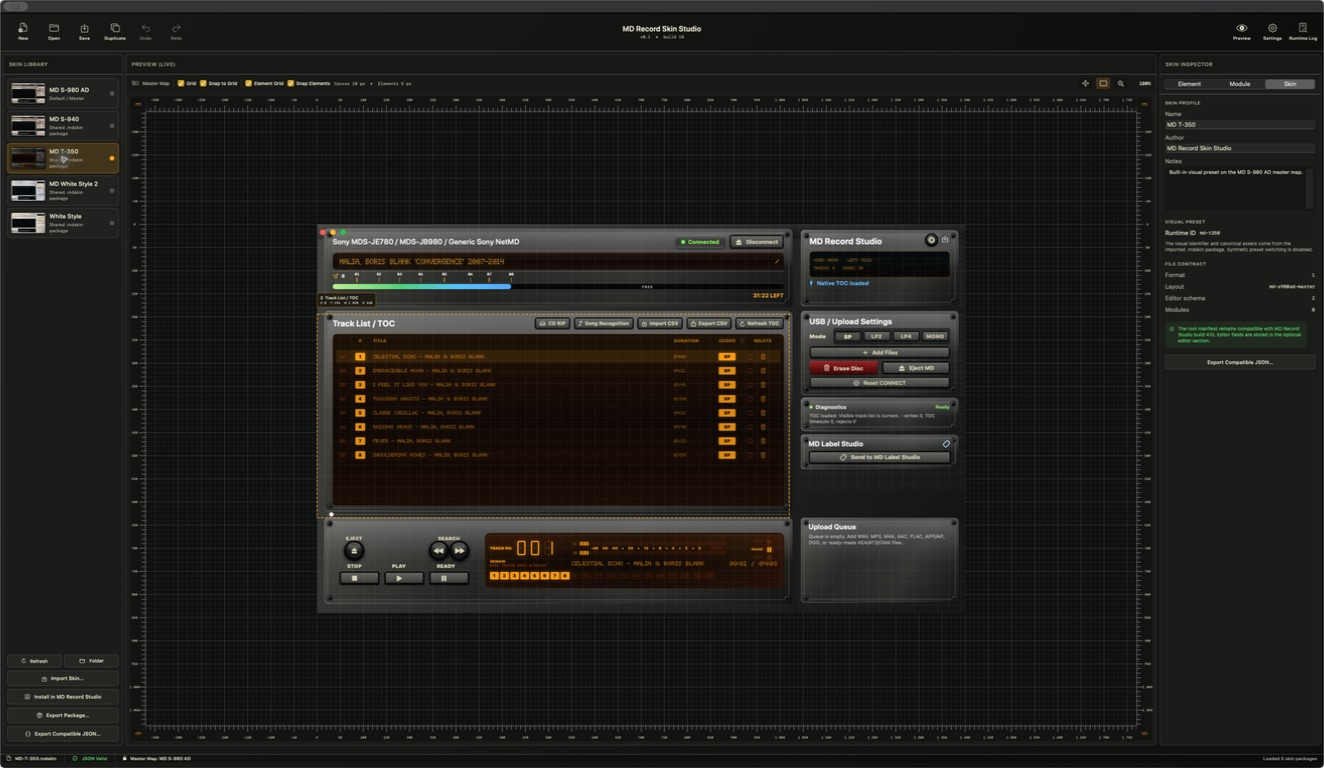
- Preview (Live): a safe demo of the real MD Record Studio SwiftUI runtime with editor overlays.
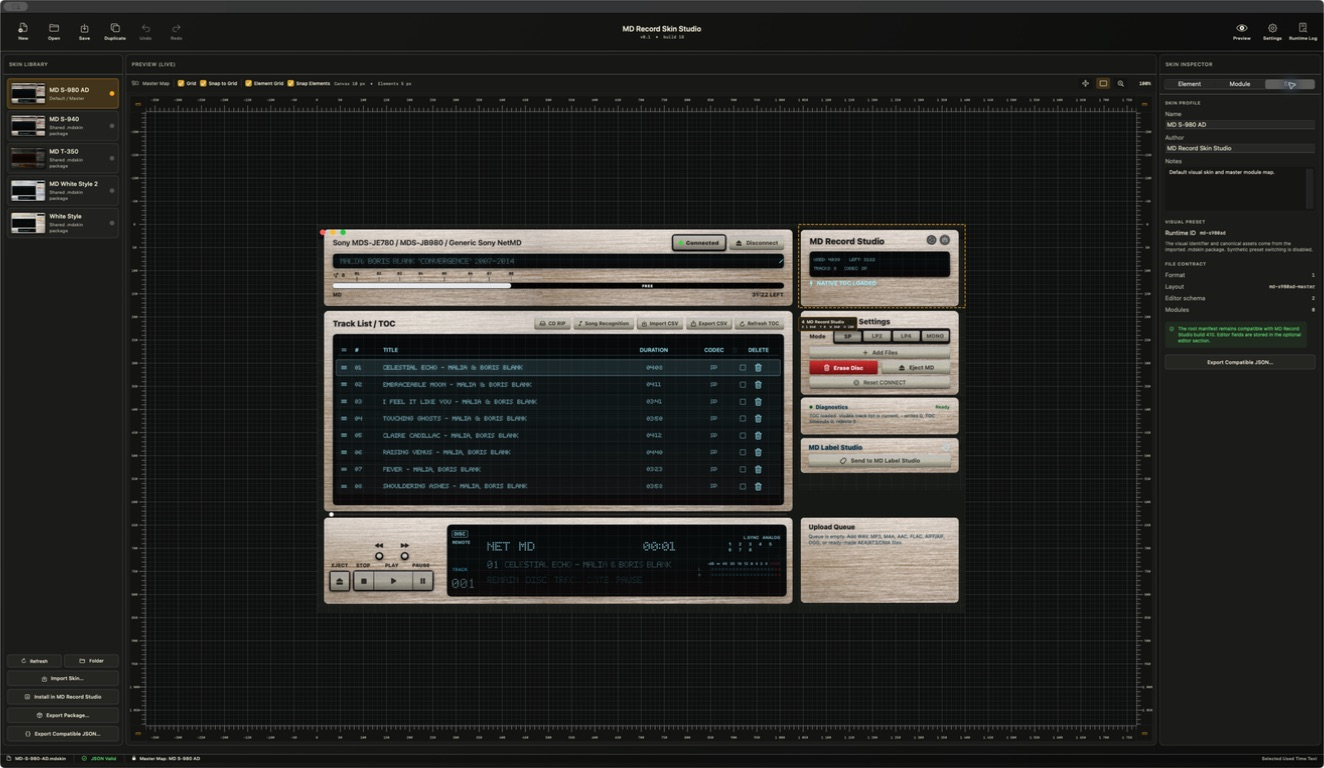
- Inspector: Element, Module and Skin tabs.
The Preview does not control physical hardware. Runtime buttons ignore hit testing and the deck, capacity and eight tracks are demo data.
Library profiles
Build 18 confirms MD S-980 AD, MD S-940, MD T-350, MD White Style 2 and White Style. The shared library is stored in ~/Library/Application Support/MD Record Studio/Skins. Back it up before testing unusual packages.
Canvas and grids
The logical canvas is 1400 × 840. Canvas spacing is 10 px and element spacing is 5 px. Grid, Snap to Grid, Element Grid and Snap Elements can be toggled independently.
Edit semantic elements without breaking the master map
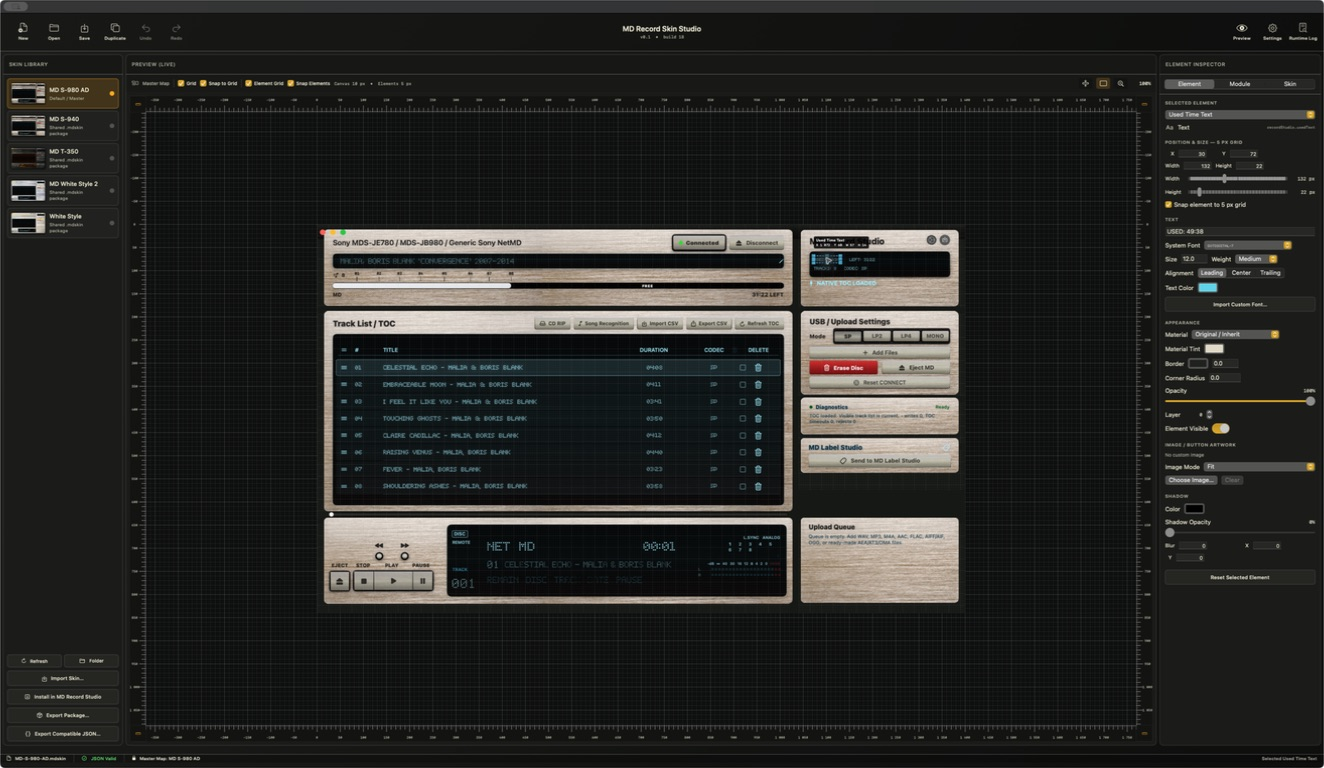
Element Inspector
Select text, button, display, image or indicator elements by clicking their runtime area. Each element has a stable semantic ID. Position and size stay inside the parent module with a 5 px minimum; text fields include value, system or custom font, size, weight, alignment and colour.
Appearance fields include material, tint, border, corner radius, opacity, layer, visibility and image mode. Choose Image copies a file into Assets/Images; Import Custom Font accepts TTF, OTF and TTC into Assets/Fonts. Reset Selected Element restores the source profile.
Module Inspector
Module Inspector changes material, background/accent, border, corner radius, opacity, layer and visibility. Module position and size are read-only because md-s980ad-master owns the fixed layout. Reset Module restores appearance; Restore Entire Master Layout restores all master-map bounds.
Skin Inspector
Edit name, author, notes and visual preset ID, then inspect the format/layout/editor contract or export compatible JSON. Build 18 displays Editor schema 2 while the current model and serialization contract use schema 3; this is a known UI discrepancy, not support for two current schemas.
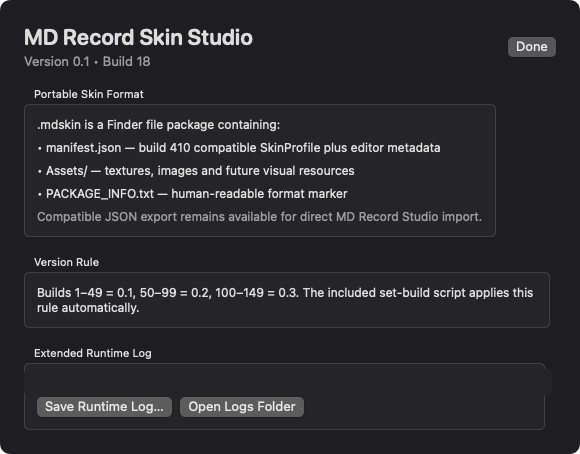
Portable .mdskin structure
Skin Name.mdskin/
manifest.json— required profile and editor metadata.Assets/Images/— portable image assets.Assets/Fonts/— portable font assets.PACKAGE_INFO.txt— human-readable package information.
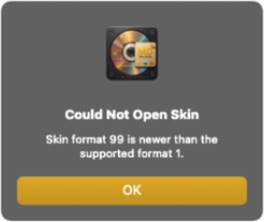
Current skin format is 1 and layout is md-s980ad-master. Asset paths are relative. Compatible JSON contains the profile without the package wrapper. If a package declares a newer unsupported format, the editor shows a safe error and keeps the current document.
Current build 18 editor
Protect the package and shared library
A package will not open
Confirm manifest.json exists, the declared format is supported and asset paths remain relative. Do not lower a package version manually to bypass the safety check.
An image or font is missing
Use Choose Image or Import Custom Font so the asset is copied into the package. External absolute paths are not portable.
The runtime differs from Preview
Save and install the package, restart or refresh MD Record Studio and verify the shared-library copy. Preview uses demo device data; compare appearance, not physical device behavior.